Where one storage layer runs out of road
Most React Native apps put everything in AsyncStorage. Tokens, user data, preferences, session state. All in one place, all in plain text.
AsyncStorage is a key-value store backed by SQLite on iOS and SharedPreferences on Android. It’s fast and convenient. It’s also unencrypted. Anyone with physical access, or a rooted/jailbroken device, can read every value.
For a theme preference, that’s fine. For an access token, it’s an incident.
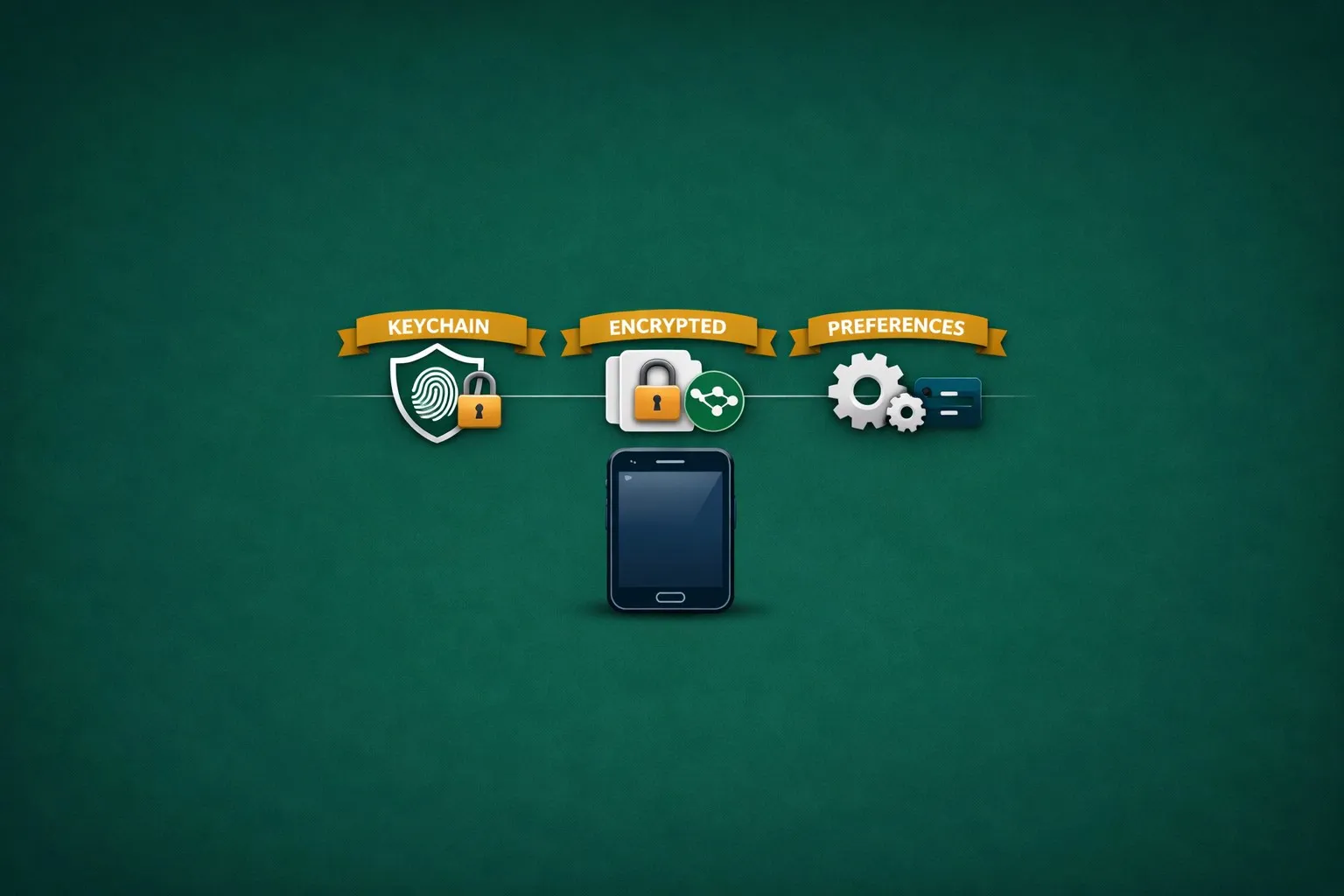
This post walks through the three tiers I use in production: hardware-backed Keychain for tokens, an encrypted store for PII, and AsyncStorage (via Redux Persist) for preferences. Each tier is one short wrapper. The work is in deciding what lives where, then keeping that boundary honest in your auth flow.
Assumptions
The setup below was written against:
- React Native 0.74+ (bare workflow, not Expo)
- TypeScript with the standard RN Babel config
- Redux Toolkit + Redux Persist for state management
- iOS 13+ and Android API 23+ (hardware-backed Keystore needs API 23 as a floor)
- A Supabase backend (or any REST API that returns access/refresh tokens)
On Expo, swap react-native-keychain for expo-secure-store in the Tier 1 wrapper. The structure stays the same.
The three tiers
| Tier | Library | Security | Speed | Use for |
|---|---|---|---|---|
| 1. SecureStore | react-native-keychain | Hardware-backed (Keychain/Keystore) | Slowest | Tokens, encryption keys, PINs |
| 2. EncryptedStore | react-native-encrypted-storage | AES-256 encryption | Medium | PII (email, name, phone) |
| 3. AsyncStorage | @react-native-async-storage | None (plain text) | Fastest | Preferences (theme, language) |
Each tier is a thin wrapper around a library. The wrapper enforces typed keys (so you can’t store a token in the wrong tier) and provides a consistent API.
Tier 1: SecureStore (Keychain / Keystore)
The top tier. Uses the platform’s hardware-backed secure enclave: iOS Keychain or Android Keystore. Data is encrypted by the OS itself and can require biometric authentication to read.
yarn add react-native-keychain
cd ios && pod install && cd ..
react-native-keychain is a native module, so iOS needs a pod install. On Android, set minSdkVersion = 23 (or higher) in android/build.gradle to reach the hardware-backed Keystore code path.
A caveat on Android: even on API 23+, whether keys actually sit on a Trusted Execution Environment or a StrongBox depends on the device and OEM. Some modern handsets still report software-only storage. If your threat model needs a guarantee, call Keychain.getSecurityLevel() at runtime and gate the sensitive operations on the result. iOS Keychain is hardware-backed on every supported device.
The wrapper:
// src/utils/storage/SecureStore.ts
import * as Keychain from 'react-native-keychain';

export enum SecureStoreKey {
  ACCESS_TOKEN = 'accessToken',
  REFRESH_TOKEN = 'refreshToken',
  USER_ID = 'userId',
  BIOMETRIC_PREFERENCE = 'biometricPreference',
  HASHED_PIN = 'hashedPIN',
  ENCRYPTION_KEY = 'encryptionKey',
}

const SERVICE_PREFIX = 'com.warrendeleon.portfolio';

export const SecureStore = {
  async set(key: SecureStoreKey, value: string): Promise<boolean> {
    await Keychain.setGenericPassword(key, value, {
      service: `${SERVICE_PREFIX}.${key}`,
      accessControl: Keychain.ACCESS_CONTROL.BIOMETRY_ANY_OR_DEVICE_PASSCODE,
      accessible: Keychain.ACCESSIBLE.WHEN_UNLOCKED_THIS_DEVICE_ONLY,
    });
    return true;
  },

  async get(key: SecureStoreKey): Promise<string | null> {
    const result = await Keychain.getGenericPassword({
      service: `${SERVICE_PREFIX}.${key}`,
    });
    return result ? result.password : null;
  },

  async remove(key: SecureStoreKey): Promise<boolean> {
    await Keychain.resetGenericPassword({
      service: `${SERVICE_PREFIX}.${key}`,
    });
    return true;
  },

  async clear(): Promise<boolean> {
    for (const key of Object.values(SecureStoreKey)) {
      await Keychain.resetGenericPassword({
        service: `${SERVICE_PREFIX}.${key}`,
      });
    }
    return true;
  },
};
Four decisions in that wrapper are worth flagging:
- One service per key. Keychain stores a single credential per service identifier. Using
com.warrendeleon.portfolio.accessTokenandcom.warrendeleon.portfolio.refreshTokenas separate services keeps them from overwriting each other. - Biometric or device passcode.
BIOMETRY_ANY_OR_DEVICE_PASSCODEmeans the user needs Face ID, Touch ID, or their device PIN to read the value. If the device has no security set up, the OS still protects the data. - This device only.
WHEN_UNLOCKED_THIS_DEVICE_ONLYkeeps the data off iCloud Keychain backups. Tokens shouldn’t roam. - Typed enum keys. You can’t accidentally pass a string. The compiler enforces that only token-level data goes into SecureStore.
Tier 2: EncryptedStore (AES-256)
The middle tier. Data is encrypted with AES-256, no hardware-backed gate, no biometric prompt. Faster than Keychain, much safer than plain text.
yarn add react-native-encrypted-storage
cd ios && pod install && cd ..
The wrapper:
// src/utils/storage/EncryptedStore.ts
import EncryptedStorage from 'react-native-encrypted-storage';

export enum EncryptedStoreKey {
  USER_EMAIL = 'userEmail',
  USER_FIRST_NAME = 'userFirstName',
  USER_LAST_NAME = 'userLastName',
  USER_PHONE_NUMBER = 'userPhoneNumber',
  PROFILE_PICTURE_URL = 'profilePictureURL',
  AUTH_PROVIDER = 'authProvider',
}

export const EncryptedStore = {
  async set(key: EncryptedStoreKey, value: string): Promise<boolean> {
    await EncryptedStorage.setItem(key, value);
    return true;
  },

  async get(key: EncryptedStoreKey): Promise<string | null> {
    return await EncryptedStorage.getItem(key);
  },

  async remove(key: EncryptedStoreKey): Promise<boolean> {
    await EncryptedStorage.removeItem(key);
    return true;
  },

  async setMultiple(
    items: { key: EncryptedStoreKey; value: string }[]
  ): Promise<boolean> {
    for (const item of items) {
      await EncryptedStorage.setItem(item.key, item.value);
    }
    return true;
  },

  async getMultiple(
    keys: EncryptedStoreKey[]
  ): Promise<Record<string, string | null>> {
    const result: Record<string, string | null> = {};
    for (const key of keys) {
      result[key] = await EncryptedStorage.getItem(key);
    }
    return result;
  },

  async clear(): Promise<boolean> {
    await EncryptedStorage.clear();
    return true;
  },
};
Why not put PII in SecureStore? Performance. Keychain access runs a system-level security check, and sometimes a biometric prompt. For rendering a user’s name on a profile screen, that overhead isn’t worth paying. EncryptedStore gives you AES-256 at rest without the hardware gate.
The batch operations (setMultiple, getMultiple) matter for auth flows that need to write a handful of fields together:
await EncryptedStore.setMultiple([
  { key: EncryptedStoreKey.USER_EMAIL, value: user.email },
  { key: EncryptedStoreKey.USER_FIRST_NAME, value: user.firstName },
  { key: EncryptedStoreKey.USER_LAST_NAME, value: user.lastName },
]);
Tier 3: AsyncStorage + Redux Persist
The fastest tier. Plain text, no encryption. Reserved for data with no security weight: theme preference, language selection.
yarn add @react-native-async-storage/async-storage redux-persist @reduxjs/toolkit react-redux
cd ios && pod install && cd ..
You don’t talk to AsyncStorage directly for preferences. Redux Persist does it for you. It saves your Redux state to AsyncStorage and rehydrates it on app launch.
The persist config is where the security boundary lives:
// src/store/configureStore.ts
import AsyncStorage from '@react-native-async-storage/async-storage';
import { combineReducers, configureStore } from '@reduxjs/toolkit';
import { persistReducer, persistStore, FLUSH, REHYDRATE, PAUSE, PERSIST, PURGE, REGISTER } from 'redux-persist';

import { authReducer } from '@app/features/Auth';
import { settingsReducer } from '@app/features/Settings';

// Auth slice gets its own persist config so we can whitelist a single field.
const authPersistConfig = {
  key: 'auth',
  storage: AsyncStorage,
  whitelist: ['biometricEnabled'],
  blacklist: ['user', 'error', 'isLoading'],
};

const persistedAuthReducer = persistReducer(authPersistConfig, authReducer);

const rootReducer = combineReducers({
  settings: settingsReducer,
  auth: persistedAuthReducer,
});

// Root persist config only persists the settings slice (theme, language).
const rootPersistConfig = {
  key: 'root',
  storage: AsyncStorage,
  whitelist: ['settings'],
};

const persistedReducer = persistReducer(rootPersistConfig, rootReducer);

export const store = configureStore({
  reducer: persistedReducer,
  middleware: getDefaultMiddleware =>
    getDefaultMiddleware({
      serializableCheck: {
        // Redux Persist dispatches non-serialisable actions during rehydration.
        // Ignore them so the serialisable-check middleware doesn't warn.
        ignoredActions: [FLUSH, REHYDRATE, PAUSE, PERSIST, PURGE, REGISTER],
      },
    }),
});

export const persistor = persistStore(store);| Config | What it persists | What it excludes |
|---|---|---|
rootPersistConfig | Settings slice only (theme, language) | Everything else |
authPersistConfig | biometricEnabled flag only | user, error, isLoading, tokens |
The whitelist is the load-bearing part. It’s a positive list: only the slices you name get persisted, everything else is ephemeral. That’s how you stop tokens from finding their way into AsyncStorage through Redux.
const settingsSlice = createSlice({
  name: 'settings',
  initialState: {
    theme: 'system' as 'light' | 'dark' | 'system',
    language: 'en' as string,
  },
  reducers: {
    setTheme: (state, action) => { state.theme = action.payload; },
    setLanguage: (state, action) => { state.language = action.payload; },
  },
});
When the user changes theme or language, Redux Persist writes to AsyncStorage for you. On next launch, PersistGate waits for rehydration before rendering:
// App.tsx
import { Provider } from 'react-redux';
import { PersistGate } from 'redux-persist/integration/react';
import { persistor, store } from '@app/store/configureStore';

export default function App() {
  return (
    <Provider store={store}>
      <PersistGate loading={null} persistor={persistor}>
        {/* your screens */}
      </PersistGate>
    </Provider>
  );
}
PersistGate blocks render until the persisted slice has been loaded back into the store. Without it, the app flashes the default state for one frame before the persisted theme/language takes over.
How the tiers compose in an auth flow
The wrappers carry their weight when you watch them work together across login, session restore, logout, and token refresh.
Login
// 1. Backend returns tokens and user data
const { access_token, refresh_token, user } = await authClient.signIn(credentials);

// 2. Tokens → SecureStore (Tier 1)
await SecureStore.set(SecureStoreKey.ACCESS_TOKEN, access_token);
await SecureStore.set(SecureStoreKey.REFRESH_TOKEN, refresh_token);
await SecureStore.set(SecureStoreKey.USER_ID, user.id);

// 3. PII → EncryptedStore (Tier 2)
await EncryptedStore.set(EncryptedStoreKey.USER_EMAIL, user.email);
await EncryptedStore.set(EncryptedStoreKey.USER_FIRST_NAME, user.firstName);

// 4. Redux state updated → UI renders
dispatch(setUser(user));
// Settings (theme, language) already in Redux via Persist (Tier 3)
App startup (session restore)
export const checkSession = createAsyncThunk(
  'auth/checkSession',
  async () => {
    // Check if we have a valid token (Tier 1)
    const accessToken = await SecureStore.get(SecureStoreKey.ACCESS_TOKEN);
    if (!accessToken) return null;

    // Restore user data (Tier 2)
    const email = await EncryptedStore.get(EncryptedStoreKey.USER_EMAIL);
    const firstName = await EncryptedStore.get(EncryptedStoreKey.USER_FIRST_NAME);
    const userId = await SecureStore.get(SecureStoreKey.USER_ID);

    // Settings already restored by PersistGate (Tier 3)
    return { id: userId, email, firstName };
  }
);
Logout
// 1. Invalidate refresh token on backend
await authClient.logout();

// 2. Clear tokens (Tier 1)
await SecureStore.clear();

// 3. Clear PII (Tier 2)
await EncryptedStore.clear();

// 4. Clear Redux auth state
dispatch(resetAuth());

// Settings (Tier 3) persist through logout. User keeps their theme and language.
The logout sequence is deliberate. Tier 1 and Tier 2 clear because tokens and PII belong to the session. Tier 3 stays because theme and language belong to the device.
Token refresh
The Axios interceptor handles token refresh in the background. It reads from and writes to SecureStore without touching the other tiers:
axiosInstance.interceptors.response.use(
  response => response,
  async error => {
    if (error.response?.status === 401) {
      const refreshToken = await SecureStore.get(SecureStoreKey.REFRESH_TOKEN);
      const { data } = await axios.post('/auth/v1/token', {
        grant_type: 'refresh_token',
        refresh_token: refreshToken,
      });

      // Update tokens in SecureStore
      await SecureStore.set(SecureStoreKey.ACCESS_TOKEN, data.access_token);
      await SecureStore.set(SecureStoreKey.REFRESH_TOKEN, data.refresh_token);

      // Retry the original request
      error.config.headers.Authorization = `Bearer ${data.access_token}`;
      return axiosInstance(error.config);
    }
    return Promise.reject(error);
  }
);
The data classification
Every piece of stored data has a clear home:
| Data | Tier | Why |
|---|---|---|
| Access token | 1 (SecureStore) | Grants API access. Hardware-backed protection. |
| Refresh token | 1 (SecureStore) | Can generate new access tokens. Highest value target. |
| User ID | 1 (SecureStore) | Used to identify the user across requests. |
| Hashed PIN | 1 (SecureStore) | Local authentication credential. |
| Encryption key | 1 (SecureStore) | Protects Tier 2 data. Must be in hardware. |
| 2 (EncryptedStore) | PII. Encrypted but needs fast access for display. | |
| Name | 2 (EncryptedStore) | PII. Shown on profile screens. |
| Phone number | 2 (EncryptedStore) | PII. Shown in settings. |
| Auth provider | 2 (EncryptedStore) | Not sensitive but related to auth session. |
| Theme | 3 (AsyncStorage) | Non-sensitive preference. Survives logout. |
| Language | 3 (AsyncStorage) | Non-sensitive preference. Survives logout. |
The rule is short: if it grants access, Tier 1. If it identifies a person, Tier 2. If it’s a preference, Tier 3. The classification shapes the project layout too. Storage wrappers sit in a shared utils/storage/ folder, and the auth flow that orchestrates them lives inside the Auth feature.
Common pitfalls
Don’t store tokens in Redux. Redux state can be serialised, logged, persisted to AsyncStorage via Redux Persist, and inspected with DevTools. Even with a blacklisted auth slice, one misconfiguration exposes tokens. Keep tokens in SecureStore, full stop.
Don’t skip the typed enums. Without SecureStoreKey and EncryptedStoreKey, you’re passing raw strings. One typo and you read from the wrong key. One wrong tier and you store a token in plain text. The type system is the cheapest security audit you’ll ever run.
Don’t forget to clear on logout. Clear SecureStore but skip EncryptedStore and the user’s PII sticks around after they log out. The clear() method on each tier is the contract: call both during logout.
Don’t assume Keychain is fast. SecureStore runs a round trip to the secure enclave. On older devices it can take 100-200ms per read. Don’t call it in a render loop. Read tokens once at startup and pass them through your HTTP interceptor.
Use Redux Persist whitelist, not blacklist. Name what should persist. blacklist is risky because new slices persist by default. One new slice with sensitive data and you have a leak. whitelist is opt-in, and safer.
So why three libraries
One library (AsyncStorage) leaves tokens in plain text. One library (react-native-keychain) is too slow for non-sensitive reads. Three libraries, three wrappers, three enums. Each wrapper sits under 50 lines. Setup takes an afternoon.
What you walk away with: tokens that can’t be read without biometric authentication, PII that’s encrypted at rest, and preferences that load on the first frame. Each piece of data is protected at the level it actually needs.
Store everything in one place and you protect nothing. Separate by sensitivity and you protect what matters.
The code examples in this post are from rn-warrendeleon, my personal React Native project. The full SecureStore, EncryptedStore, and Redux Persist configuration are all in the repo.